Protect Your ERP from Internal Fraud and Security Gaps
Detelix provides real-time monitoring and automated controls for your most critical ERP processes. Talk to our experts today.
- Why ERP Security Is Fundamentally Different from General IT Security
- The Three Pillars of a Secure ERP Environment
- How to Implement Least Privilege Without Breaking Daily Operations
- Common ERP Access Security Mistakes
- How to Run an Effective ERP Access Review
- Segregation of Duties — The Silent Killer When It Fails
- Implementing SoD Without Slowing Down the Business
- Is Multi-Factor Authentication Enough to Protect Your ERP?
- Securing Privileged Accounts and Service Accounts
- How to Protect Sensitive Data Inside the ERP
- What Should an ERP Audit Trail Actually Capture?
- Vulnerability Management and Patching
- How to Secure Integrations and APIs Connected to Your ERP
- Cloud ERP Security vs. On-Premise
- Building an ERP-Specific Incident Response Playbook
- Regulations and Standards Shaping ERP Security
- Frequently Asked Questions
In many organizations, ERP systems are treated as back-office software — powerful, complex, but largely invisible to the security conversation. The reality is starkly different. Your ERP is the operational brain of the business: it processes payments, manages vendor records, controls inventory, runs payroll, and stores the most sensitive financial data your organization holds. A firewall protects the perimeter, but it does nothing to stop a user with excessive permissions from changing a supplier’s bank account and routing a payment to a fraudulent destination. That gap — between general IT security and the specific controls required inside ERP workflows — is where the most damaging breaches and internal fraud cases occur. Organizations that partner with Detelix gain a real-time control layer that continuously cross-checks sensitive ERP transactions, catching errors and potential fraud before money leaves the company.
Key Takeaways
- ERP security requires business-process-level controls that go far beyond perimeter defense and endpoint protection.
- Least privilege and segregation of duties (SoD) are the two most powerful controls for preventing internal fraud and costly errors within ERP workflows.
- Access reviews must be continuous and owned by business process leaders — not treated as annual IT checkboxes.
- Real-time monitoring of sensitive transactions (vendor bank changes, payroll modifications, payment approvals) is the difference between catching fraud in minutes and discovering it months later.
- Cloud and on-premise ERP deployments share the same core security responsibilities: access control, SoD enforcement, audit logging, and transaction monitoring.
- Detelix provides automated, real-time cross-checking of ERP activity to close the gap between policy and enforcement.
Why ERP Security Is Fundamentally Different from General IT Security
Standard cybersecurity focuses on endpoints, networks, and malware. ERP system security requires a completely different lens. An ERP connects processes end-to-end: procurement, accounts payable, order-to-cash, human resources, and general ledger. A single permission misconfiguration can allow someone to create a vendor, modify bank details, and approve a payment — all within the same system. That kind of risk does not exist in a standalone email server or CRM. Enterprise application security in the ERP context must address both technical vulnerabilities and business-process logic, including who can initiate, approve, and execute financial transactions.
Did You Know
According to NIST SP 800-207 on Zero Trust Architecture, modern systems should operate on the principle that no user is inherently trusted regardless of network location. For ERP environments, this means verifying every access request against the user’s actual role, the sensitivity of the data involved, and the context of the action being performed — every single time.
The Three Pillars of a Secure ERP Environment
Securing an ERP environment can feel overwhelming given the number of modules, integrations, and user roles involved. A practical framework breaks the challenge into three strategic layers. Identity answers the question “who has access and why.” Process addresses “what can they do, and are conflicting duties separated.” Monitoring ensures “how do we know when something deviates from normal.” Every best practice discussed in this article fits within one of these pillars. Treating ERP access security as a continuous discipline — not a one-time project — is what separates resilient organizations from vulnerable ones.
Tip
Map each ERP security initiative you undertake to one of these three pillars (Identity, Process, Monitoring). This simple classification prevents gaps — if you have ten projects under Identity and zero under Monitoring, you know exactly where your blind spots are.
How to Implement Least Privilege Without Breaking Daily Operations
The principle of least privilege means that every user receives only the minimum permissions required to perform their specific job function. In theory, this sounds straightforward. In practice, ERP environments accumulate permission “drift” over months and years: temporary access granted during a project that was never revoked, a user who changed departments but kept their old role, or a generic “super user” account shared across a team. Each of these situations expands the attack surface and increases the risk of costly errors or deliberate fraud.
Building a Role Catalog Aligned to Business Processes
Start by mapping every business process — procure-to-pay, order-to-cash, record-to-report — and defining the discrete tasks within each. Assign permissions to roles, not to individuals. A role such as “Invoice Clerk” should include the ability to enter an invoice but not the ability to modify vendor bank details or release a payment. This approach, known as RBAC (Role-Based Access Control), creates consistency and makes audits far simpler.
Managing Exceptions with Expiry Dates and Approval Records
Exceptions are inevitable. A finance manager may need temporary access to a module during year-end close. The key is to grant that access with a defined expiry date, a documented business justification, and an approval from the process owner. Exceptions without expiry dates are one of the most common sources of excessive permissions in ERP systems.
Did You Know
Research consistently shows that over 60% of ERP users in large organizations hold permissions they no longer need for their current role. This “permission creep” often goes undetected until an audit or, worse, until those excess permissions are exploited.
What Mistakes Do Organizations Make Most Often with ERP Access Security?
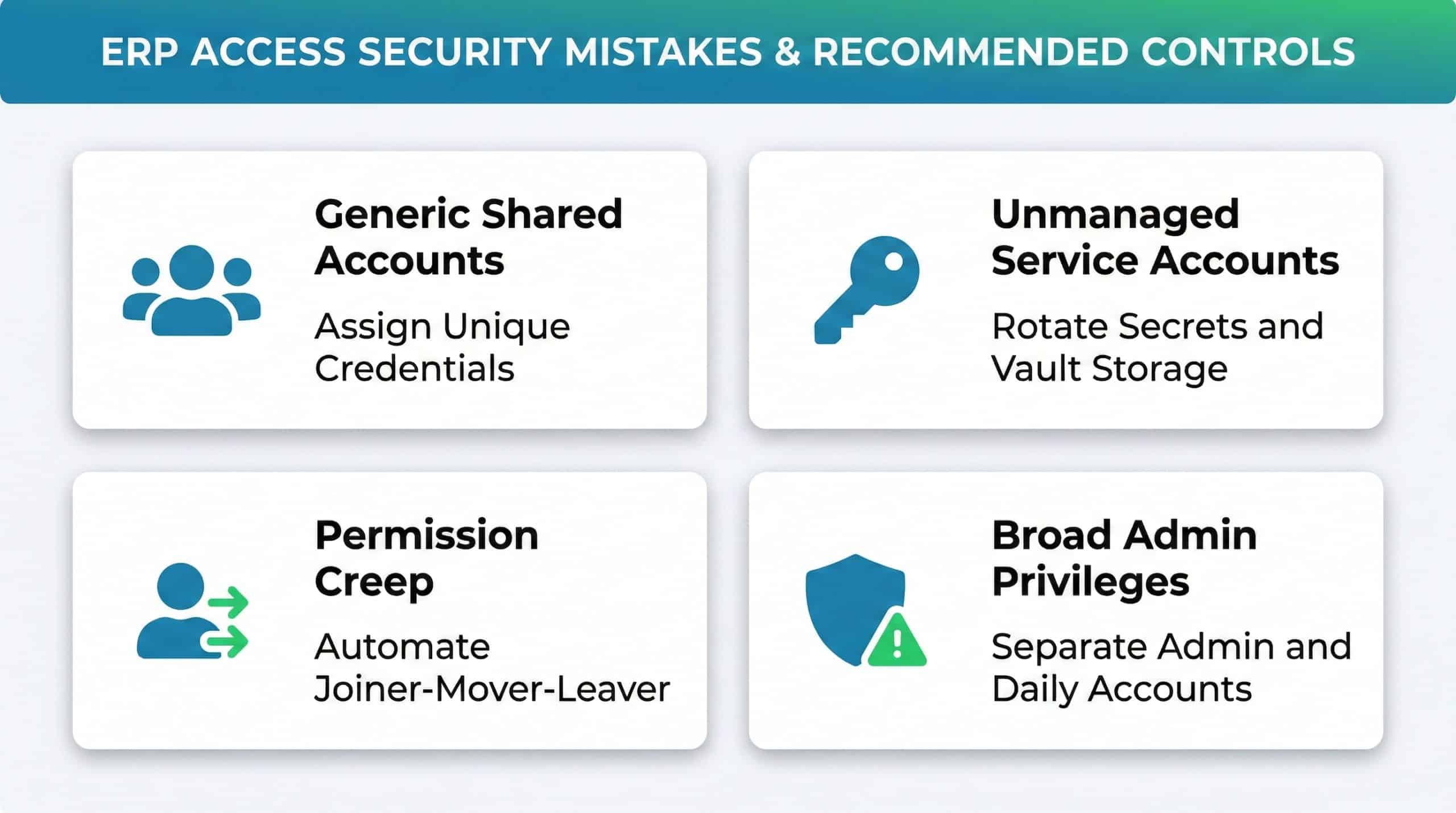
ERP access security fails not because organizations lack policies but because those policies are not enforced consistently. The most frequent errors include generic user accounts shared among multiple employees, service accounts with static passwords that have never been rotated, permissions that remain active long after an employee has left the organization, and administrative privileges granted broadly “just in case.” Each of these creates a pathway — either for an insider to commit fraud or for an external attacker who compromises a single credential to move laterally across critical financial processes.
| Common Access Mistake | Business Risk | Recommended Control |
|---|---|---|
| Generic / shared user accounts | No individual accountability; audit trail is meaningless | Assign unique credentials to every user; disable shared IDs |
| Unmanaged service accounts | Static passwords become a permanent back door | Rotate secrets on a schedule; store in a vault; log all usage |
| Permissions surviving role changes | Excessive access accumulates (“permission creep”) | Automate Joiner-Mover-Leaver workflows; trigger reviews on HR events |
| Broad admin privileges | A single compromised admin can control entire financial flows | Separate admin accounts from daily-use accounts; require dual approval |
Tip
Run a “shared account sweep” as your first quick win. Query the ERP for any user account that has been accessed from more than three distinct IP addresses or workstations in the past 30 days — these are likely shared credentials that need to be decomissioned and replaced with individual accounts.
How to Run an Effective ERP Access Review
An access review is not a checkbox exercise. Done correctly, it is the single most powerful control for reducing excessive permissions. Define a cadence — quarterly for sensitive roles such as payment approvers, treasury users, and system administrators, and semi-annually for standard roles. Assign ownership clearly: IT manages the technical extraction of permissions, but the business process owner (e.g., the Head of Accounts Payable) decides whether a user truly needs a given capability.
What to Examine During Each Review Cycle
Focus on high-risk categories first: users with administrative privileges, users holding conflicting SoD roles, dormant accounts that have not logged in for 90 days, and any exception access that has passed its intended expiry. Document every decision — approved, reduced, or revoked — so auditors can trace the rationale.
Measuring the Impact of Your Reviews
Track metrics such as the percentage of excessive permissions removed per cycle, the average time to close flagged exceptions, and the number of dormant accounts deactivated. These numbers tell you whether your reviews are genuinely reducing risk or simply generating paperwork.
Did You Know
Organizations that conduct quarterly access reviews detect and remediate excessive permissions 4x faster than those relying on annual reviews alone. The cumulative risk reduction compounds significantly over just two or three cycles.
Segregation of Duties — The Silent Killer When It Fails
Segregation of Duties (SoD) prevents a single individual from controlling an entire financial process from start to finish. Consider a scenario where one employee can create a new vendor, change that vendor’s bank account details, and then approve a payment to the same vendor. Without SoD enforcement, that employee could route company funds to a personal account — and it might not surface until the next external audit, months later. According to ISO’s framework on access control, separating conflicting duties is a foundational requirement for maintaining data integrity and preventing fraud.
Tip
Build your SoD conflict matrix by starting with the three highest-risk processes: Procure-to-Pay, Order-to-Cash, and Payroll. For each, list every transaction type and mark which pairs must never be held by the same user. This focused approach delivers 80% of the risk reduction with 20% of the effort.
Your ERP processes payments, manages vendor data, and controls payroll. Are you monitoring what happens inside those workflows in real time?
Implementing SoD Without Slowing Down the Business
In large enterprises, strict SoD enforcement is relatively straightforward because there are enough employees to distribute duties. In mid-sized organizations, the same person may genuinely need to perform tasks that create a theoretical conflict. The answer is not to ignore the conflict but to apply compensating controls.
Building a Conflict Matrix and Defining Compensating Controls
Map each sensitive process — procure-to-pay (P2P), order-to-cash (O2C), general ledger (GL) — and identify task pairs that should never reside in the same role. Where a conflict is unavoidable due to staffing constraints, implement compensating controls: mandatory manager approval for every transaction, a daily exception report reviewed by an independent party, or a real-time alert triggered whenever the conflicting tasks are both executed by the same user within a defined window.
This is one area where Detelix delivers measurable value. Rather than relying on periodic reports, Detelix continuously monitors ERP activity and flags SoD violations as they happen, giving finance teams the ability to intervene before damage occurs.
Is Multi-Factor Authentication Enough to Protect Your ERP?
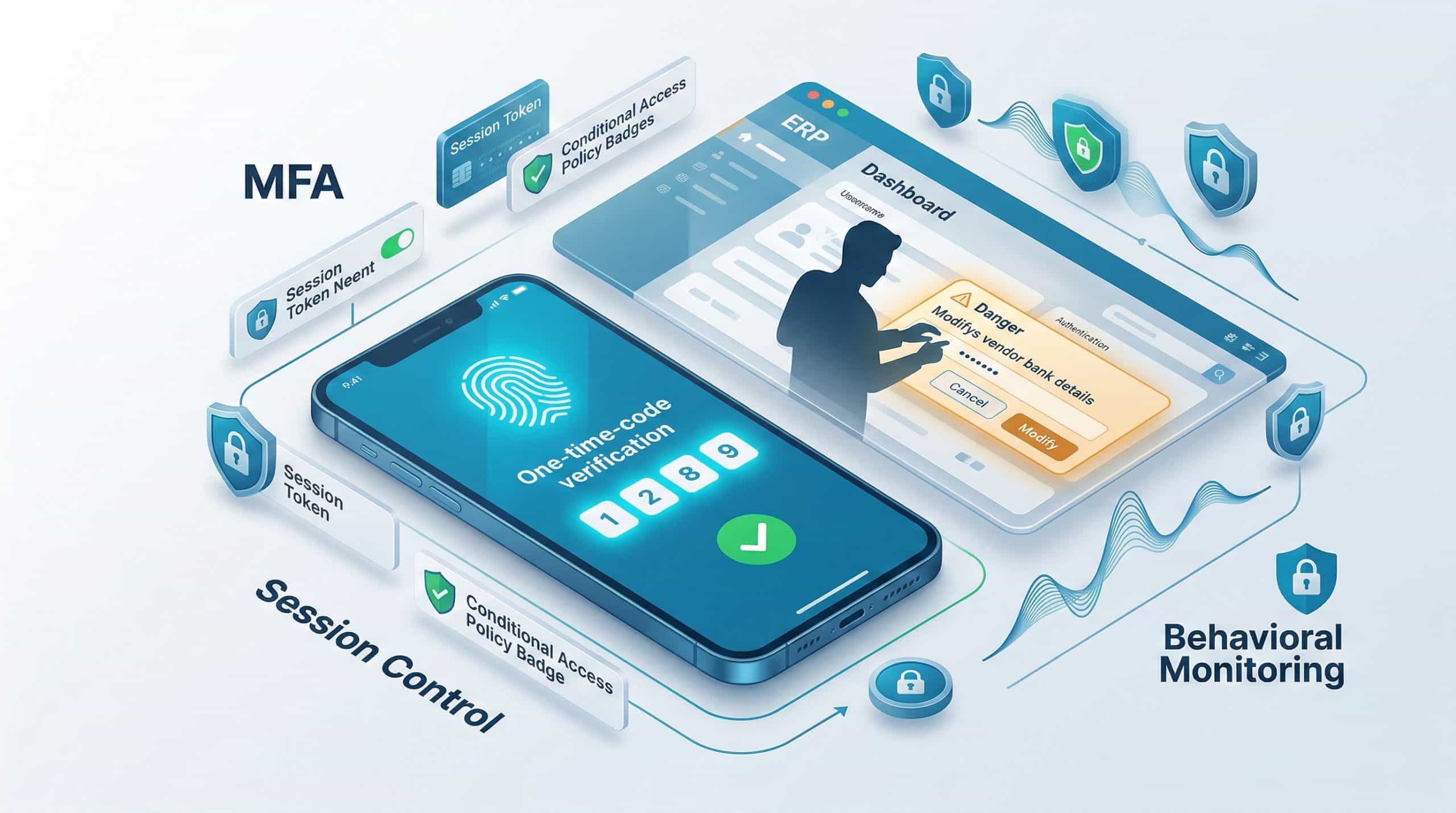
MFA is a mandatory baseline — not a solution on its own. It significantly reduces the risk of credential theft, but it does nothing to prevent a legitimately authenticated user from misusing their permissions. If a user with excessive access logs in with MFA and then modifies a vendor’s bank details without authorization, MFA has done its job perfectly — and the organization is still exposed. As outlined in NIST SP 800-63 Digital Identity Guidelines, strong authentication must be paired with session management, conditional access policies (restricting logins by device, location, or time), and ongoing monitoring of what authenticated users actually do inside the system.
Did You Know
MFA prevents approximately 99.9% of automated credential-stuffing attacks according to Microsoft research. However, it provides zero protection against authorized users who misuse their legitimate access — which accounts for the majority of ERP fraud cases.
Securing Privileged Accounts and Service Accounts in ERP
Administrative accounts in ERP systems are the highest-value targets. A compromised admin credential can modify security settings, disable logging, create phantom vendor records, or export entire databases. Best practice requires separating admin accounts from daily-use accounts: the same person may hold both, but each account should have distinct credentials, distinct MFA tokens, and distinct logging.
Service accounts — used by integrations, batch jobs, and automated processes — are equally dangerous because they often operate silently with elevated privileges. Rotate their passwords or API keys on a defined schedule, store credentials in a secrets vault rather than in configuration files, and log every action they perform.
Just-in-Time Access for Critical Operations
For the most sensitive administrative tasks — such as changing system configuration, modifying approval workflows, or granting new roles — implement just-in-time (JIT) access. The admin requests elevated privileges, a second authorized person approves, and the access expires automatically after a short window. This dramatically reduces the window of exposure.
Tip
Inventory all service accounts in your ERP environment and classify them by privilege level. Any service account with write access to financial master data (vendors, bank accounts, GL postings) should be treated with the same rigor as a human admin account — including mandatory credential rotation every 90 days.
How to Protect Sensitive Data Inside the ERP: PII, Financial Records, and Payroll
Your ERP contains data that, if exposed, creates regulatory liability and reputational damage: employee social security numbers, salary details, customer payment information, and bank account records. Protecting this data requires a layered approach. Encrypt data both at rest and in transit. Apply field-level restrictions so that, for example, only authorized payroll staff can view full salary figures while managers see aggregated totals. Use data masking to display only the last four digits of bank account numbers in screens where the full number is not operationally necessary.
| Business Need | How Detelix Helps in Practice |
|---|---|
| Detecting unauthorized changes to vendor bank details | Real-time alerts triggered when bank account fields are modified, cross-checked against approval workflows |
| Identifying SoD conflicts as they occur | Continuous monitoring of user activity across conflicting transaction codes, with immediate notification |
| Catching payroll anomalies before payment runs | Automated cross-referencing of payroll changes against HR records and historical patterns |
| Providing audit-ready evidence for compliance reviews | Structured logs and exception reports exportable for internal and external auditors |
What Should an ERP Audit Trail Actually Capture?
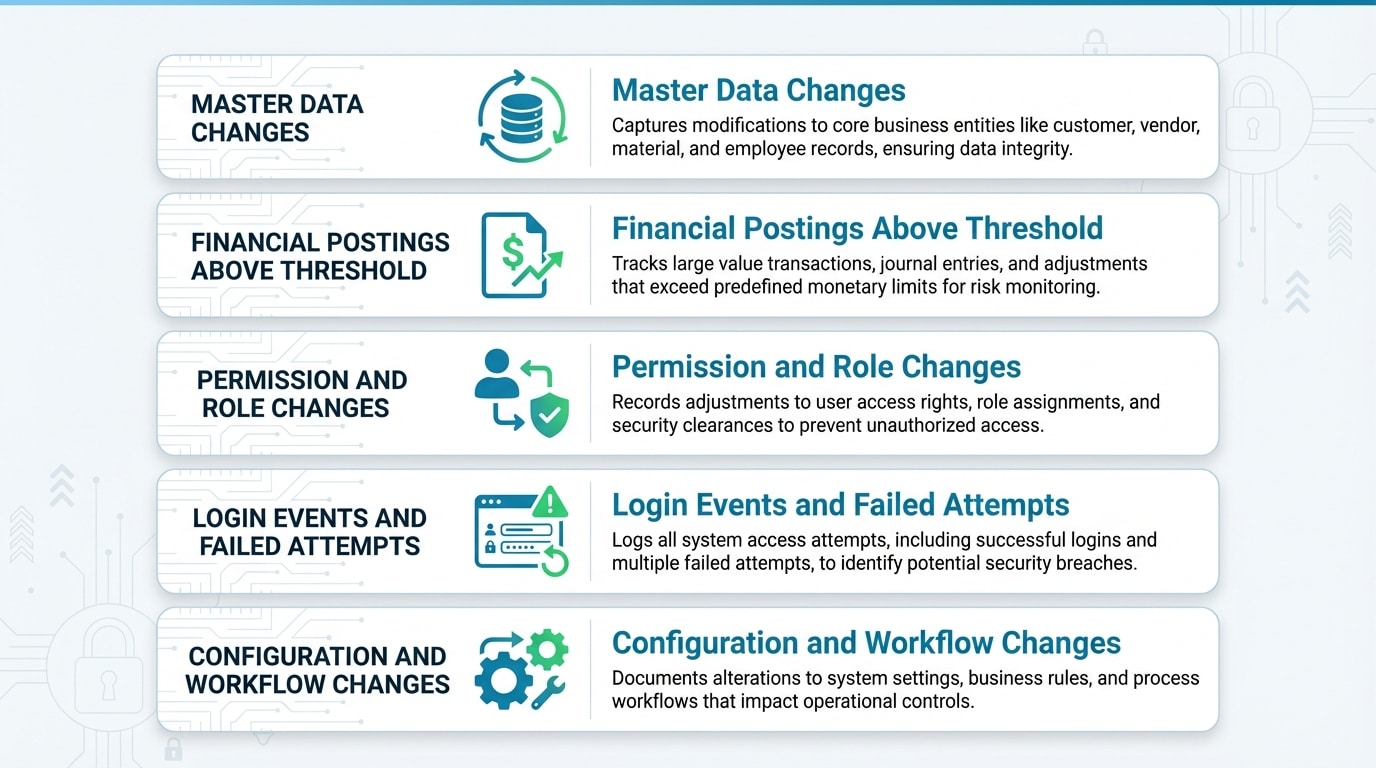
Many organizations enable logging but capture the wrong events — or capture everything and analyze nothing. An effective ERP audit trail must record changes to master data (vendor, customer, employee, bank accounts), financial postings above defined thresholds, permission changes and role assignments, login events including failed attempts, and configuration changes to approval workflows or system parameters. As recommended by NIST SP 800-92 on log management, logs must be protected from tampering, retained for a defined period, and actively analyzed — not simply stored.
Tip
Configure your ERP to generate automated daily digest reports of the five highest-risk event categories: vendor bank account changes, new vendor creation, payment approval overrides, role assignment changes, and failed login attempts exceeding three in a session. This single report catches the majority of anomalies before they escalate.
A Scenario That Reveals Weak Logging: The Unnoticed Bank Account Change
Imagine this: a finance clerk changes the bank account number on a vendor record on a Tuesday afternoon. The change is logged in the system but nobody reviews vendor master changes until the monthly reconciliation three weeks later. By then, two payment runs have already transferred funds to the fraudulent account. This scenario is not hypothetical — it is one of the most common patterns in vendor fraud. The difference between organizations that catch it in time and those that do not comes down to whether their monitoring is active or passive. Detelix scans for exactly this type of change in real time, alerting the relevant stakeholders within minutes rather than weeks.
Did You Know
The median time to detect occupational fraud is 12 months according to the Association of Certified Fraud Examiners. Organizations with proactive, real-time monitoring reduce that detection window to days or even hours — cutting potential losses by orders of magnitude.
Vulnerability Management and Patching: The Technical Debt Problem
ERP systems are long-lived. Many organizations run versions that are years behind the latest security patches because applying updates to a heavily customized system risks breaking critical business processes. This technical debt creates known vulnerabilities that attackers can exploit. The solution is a structured patch management cycle that includes a sandboxed testing environment mirroring the production system, a defined schedule for applying security patches (ideally monthly for critical fixes), and a clear rollback plan in case a patch introduces regressions. Customizations should be documented thoroughly so that the impact of each patch can be assessed before deployment.
Tip
Maintain a “customization registry” that maps every modification made to your ERP against the modules and transaction codes it affects. When a vendor security patch is released, cross-reference it against this registry to immediately identify which customizations could be impacted — reducing patch testing time by up to 40%.
How Do You Secure Integrations and APIs Connected to Your ERP?
Modern ERP environments rarely operate in isolation. They connect to CRM platforms, e-commerce systems, banking portals, logistics providers, and business intelligence tools via APIs. Each integration is a potential “side door.” If an API token is hardcoded in a third-party application and that application is compromised, the attacker gains direct access to your ERP data. Secure integrations by using OAuth 2.0 flows with short-lived tokens, rotating API keys on a regular schedule, restricting each integration to the minimum data scope it requires, and monitoring API call volumes for anomalies that may indicate data exfiltration.
Did You Know
A 2024 analysis of ERP-related breaches found that 34% of incidents involved compromised API credentials or integration endpoints rather than direct attacks on the ERP application itself. Securing your integration layer is no longer optional — it is a primary attack surface.
Comparing Cloud ERP Security vs. On-Premise: Where Are the Real Differences?
| Security Dimension | Cloud ERP | On-Premise ERP |
|---|---|---|
| Patch management | Vendor-managed; faster deployment of security fixes | Organization-managed; often delayed due to customization |
| Physical infrastructure security | Handled by cloud provider (data center certifications) | Full responsibility of the organization |
| Access control configuration | Shared responsibility; organization must configure roles and policies | Full responsibility of the organization |
| Data residency and privacy | Must verify where data is stored and processed | Data stays within organizational boundaries |
| Integration security | API-first model; more integration points to secure | Fewer external connections, but legacy interfaces may lack modern authentication |
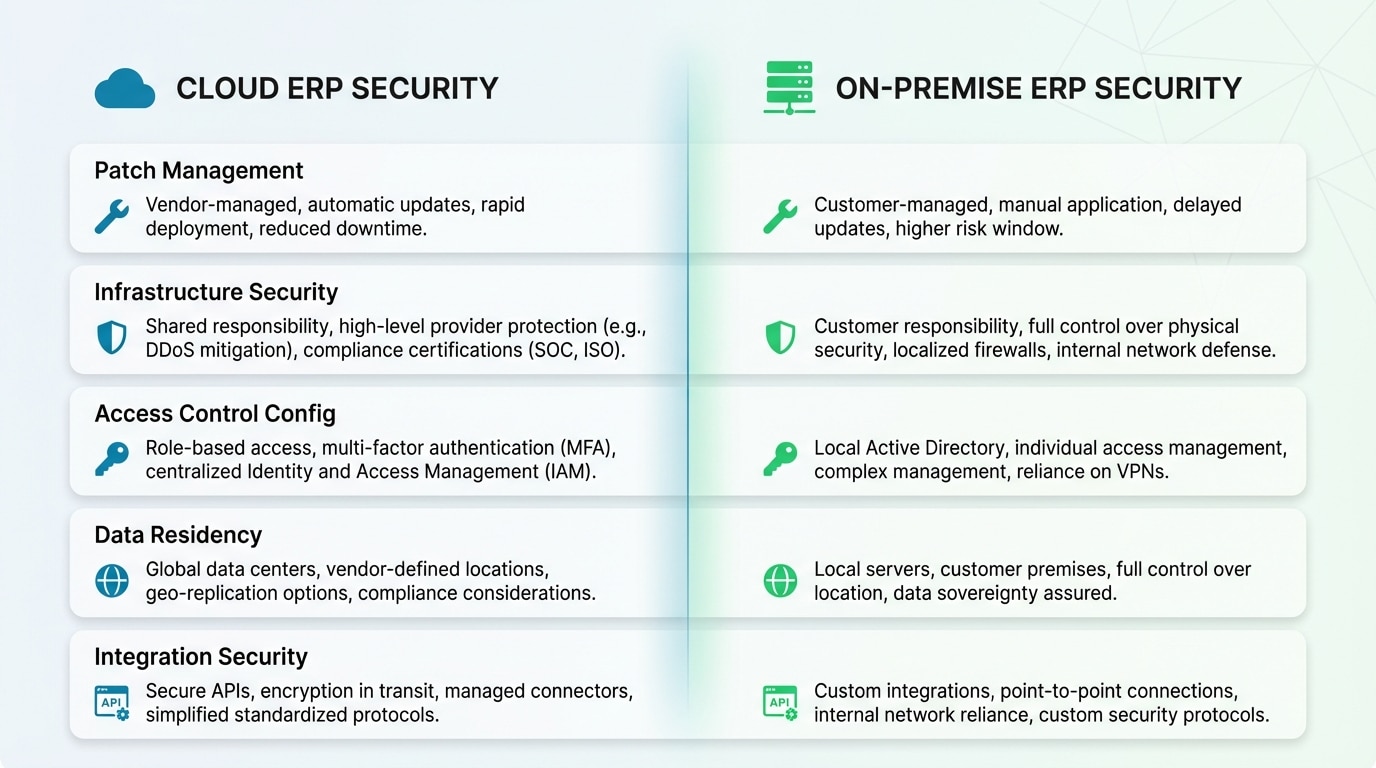
Regardless of deployment model, the organization retains responsibility for configuring access controls, enforcing SoD, managing user lifecycles, and monitoring transaction-level activity. The cloud shifts some infrastructure burdens but does not eliminate the need for enterprise application security governance.
Building an Incident Response Playbook Specific to ERP
When a security incident impacts your ERP — whether ransomware, data exfiltration, or an insider threat — a generic IT incident response plan is not enough. You need an ERP-specific playbook that defines which business processes to isolate first (typically payment runs and vendor master changes), how to preserve audit logs as forensic evidence, who has authority to shut down specific modules without CEO approval, and how to communicate with banking partners to freeze outbound transfers if fraud is suspected.
Frequent, off-site, and immutable backups are non-negotiable. Test your backup restoration process at least twice a year. An untested backup is not a backup — it is a hope.
Tip
Include your ERP vendor’s emergency contact information and escalation path in your incident response playbook. During an active incident, knowing exactly whom to call at SAP, Oracle, or Microsoft — and having a pre-established support contract that guarantees rapid response — can save critical hours.
Which Regulations and Standards Shape ERP Security Requirements?
ERP security does not exist in a regulatory vacuum. Organizations handling personal data must comply with privacy laws that require, among other things, registering databases containing sensitive personal information, reporting security incidents to the relevant authority, and implementing access controls proportional to data sensitivity. International frameworks such as ISO 27001, SOX (for publicly traded companies), and PCI-DSS (for payment card data) all impose requirements that directly affect how ERP access, logging, and data protection must be configured. Aligning your ERP security program with these standards from the outset prevents costly remediation later.
Did You Know
SOX Section 404 specifically requires management to assess the effectiveness of internal controls over financial reporting — which directly includes ERP access controls, segregation of duties, and change management procedures. Non-compliance can result in material weakness findings that impact stock price and investor confidence.
Detelix ERP Protection Solutions

Proactive Monitoring
Continuous surveillance of sensitive ERP transactions including vendor master changes, payment approvals, and payroll modifications — detecting anomalies before they become losses.

Real-Time Alerts
Instant notifications when critical ERP events occur — SoD violations, unauthorized bank detail changes, and suspicious transaction patterns flagged within minutes.

Gatekeeper
Automated cross-referencing of vendor data, bank details, and payment records against internal and external databases to prevent fraudulent payments at the source.

Industry Experience
Deep domain expertise across healthcare, finance, manufacturing, and government — delivering ERP security solutions tailored to your sector’s unique regulatory and operational requirements.
See Detelix in Action
Frequently Asked Questions
What is the single most important ERP security best practice?
If you could implement only one control, it should be enforcing the principle of least privilege combined with segregation of duties. Together, these two controls limit what any single user can do inside the system and ensure that no one person can execute a sensitive financial process from end to end without oversight.
How often should ERP access reviews be conducted?
Sensitive roles — such as payment approvers, system administrators, and users with access to HR or payroll data — should be reviewed quarterly. Standard roles can follow a semi-annual cycle. Any role change triggered by an HR event (promotion, transfer, termination) should initiate an immediate access adjustment, not wait for the next scheduled review.
Can ERP security be fully automated?
Automation dramatically improves consistency and response time, but it cannot replace human judgment entirely. Automated tools like Detelix detect anomalies and flag policy violations in real time, but a qualified person must still evaluate whether a flagged event is a genuine threat or a legitimate business exception. The goal is to automate detection and escalation so that human attention is focused where it matters most.
What is the biggest risk of unpatched ERP systems?
Unpatched systems contain known vulnerabilities with publicly available exploit code. An attacker does not need to discover a new weakness — they simply use one that the vendor has already fixed but the organization has not yet applied. The risk ranges from data exfiltration to complete system takeover, including the ability to manipulate financial records undetected.
How does Zero Trust apply to ERP environments?
Zero Trust means that every access request — whether from inside the corporate network or outside — is verified against the user’s identity, role, device posture, and the sensitivity of the requested resource. In an ERP context, this translates to conditional access policies, session-level re-authentication for sensitive transactions, micro-segmentation of ERP modules, and continuous monitoring of user behavior.
Why are service accounts a particular concern in ERP security?
Service accounts run automated processes such as batch payment jobs, data synchronization, and reporting. They typically operate with elevated privileges, run continuously, and are not associated with a human who might notice unusual behavior. If their credentials are compromised, an attacker can operate silently within the ERP for extended periods. Regular credential rotation, vault-based secret management, and detailed logging of service account activity are essential controls.
Ready to Move from Reactive Auditing to Real-Time ERP Protection?
The difference between detecting fraud in minutes and discovering it months later is visibility. Let Detelix show you what real-time ERP monitoring looks like for your organization.